Category: Blog

  • Solo-trip planning

    I haven’t done a truly solo trip in a long time; maybe never? The last time I can remember traveling without friends or family outside of a work trip was in 2011 when I went to Pécs after my grandpa died. I left on a Thursday and took a long weekend. Even on this trip, Danielle joined me once she was off work. So, with Danielle’s consent to solo-parenting for a few days, I decided to take a solo journey during my sabbatical for what seems to be the first time in my life.

    I like traveling to weird places, and extreme places are my favorite kind. It’s kinda the only reason we became interested in South Point in Hawaii — to go to the United States’s southernmost point (in a state). A fun fact I enjoy whenever we drive through Wausau, WI is that it’s the center of the northern half of the Western Hemisphere (40ºN 90ºW). It’s also Wisconsin’s pole of inaccessibility. Milwaukee’s smallest park is about 3 miles from my house. It’s not much to write about, but it is a monument to an important, if largely forgotten, community in Milwaukee’s history.

    Part of why I’m interested in these places is the juxtaposition between the superlative and the ordinary. Kaszube’s Park is tiny, hard to find, and in an unusual part of town for a park, but it’s otherwise pretty basic: a few trees, some picnic tables, and, in this case, an anchor. If I worked down there, I might go there to eat lunch. South Point, HI is wholly undeveloped apart from a pier for fishing and mooring.

    I say that to introduce my destination: Washington Island, WI and Rock Island State Park at the extreme tip of the Door Peninsula, and site of the eponymous Lake Michigan strait: Death’s Door. This is easily Wisconsin’s most remote destination. Getting there requires a two hour drive to the very end of the Door Peninsula, then a ferry crossing. I’ll spend two days on the island and then head over to St. Germain to meet the rest of the family for Memorial Day.

    As for what I’m doing, it’s a little up in the air. I’m staying at Jackson Harbor Inn and have a kayak tour of Rock Island planned. Recursive lakes being another obscure geographic interest of mine, I’ll probably bike out to Little Lake Natural Area. Beyond that, I intend to enroll in the Bitters Club at Nelson’s, do a lot of biking, and enjoy the outdoors.

    I’ll have two weeks left on my sabbatical when I’m done, so this trip is also a bit of a final hurrah before real life starts again.

  • Five years at Automattic: A sabbatical

    Every employee earns a sabbatical at Automattic after they have five years tenure under their belt. It’s a benefit that was almost unbelievable when I started there five and a half years ago, and continued to be even as I saw team member after team member before me start and return from theirs. I think it was hard to believe because it had so few strings attached, but also in part because no other company I know of offers this kind of benefit without the promise of burnout along the way.

    At five and a half years, this is also the longest I’ve ever been in a single job by about a 18 months, so some of it was intrinsic: Could I actually remain interested and engaged a job for five years? My parents both worked for the same companies far longer than five years, but companies today don’t offer the same kinds of retention incentives that they did in the past (mostly because they’re expensive). Prior to joining Automattic, it felt like my career would be marked by taking job after job in order to earn the salary I needed to contribute to my family — and that is the reality for a lot of the people who entered the job market into a recession like I did.

    Automattic’s sabbatical is a real privilege more companies would consider adding to their roster of benefits. Matt Mullenweg and Lori McLeese offered some thoughts on how the sabbatical can help with retention and prevent burnout and fragility on CNBC recently. The idea is that by granting every individual a sabbatical, it forces us to prioritize sharing information and responsibility over siloing entire domains of knowledge to one individual. Every job I’ve ever had has talked about how important it is to work as though you could win the lottery tomorrow and never come back to work, but few have built in mechanisms to ensure it.

    That’s all to say, I’m well aware of the privilege I have to take this sabbatical, but also plan to make the most of it. I’m also grateful to my colleagues and customers. They’ve encouraged me to keep delivering my best work, kept me engaged, curious, and in an active state of learning for the last five-and-a-half years. We’ve come a long way at VIP since I joined. I’m proud of our work together and at the same time feel a great sense of humility at the opportunity to disconnect knowing everything will continue apace without me.

    As for my plans: We’re in Europe right now for our first international trip as a family. After we get home, I hope to get out to Minnesota to see friends and family, but mostly plan to take it easy. Keep up with us at the family blog: harmsboone.org to follow our travels.

  • Radio Player: Alexa without all the skills

    “Hey Siri, play Radio Milwaukee.”

    “Hey Alexa, play WUWM.”

    It may be hard for some folks to remember what it was like to play a web stream before these home assistants existed. For people who own such a device they close the cumbersome gaps involved with finding and playing your favorite radio station on decent (if not good) speakers. But if you already have a stereo and speakers you like, and don’t have the money or desire to upgrade to something internet connected, you’re stuck with plugging your phone into the aux in, finding the station, never disconnecting it until you are done listening, and hoping your browser’s connection doesn’t reset for some reason. These new thingies aren’t interoperable with each other or what you already have.

    These devices are limited radio listeners. Like many speakers, they work best in the room they’re in and have to be turned up loud to hear them outside that limited space. Then, the people in that room have to deal with too-loud radio else everybody else deals with too-quiet radio. It’s especially frustrating when you have some good audio hardware sitting right there, it’s just not connected to the internet.

    They’re also multi-purpose. The HomePod, Amazon Echo, and Google Home can all play radio streams, but that’s just one skill out of many it is capable of. It’s also a hub for your “smart” home devices. Some of these devices do have headphone jacks you could use to plug them into a standard stereo, but then you have to have your stereo on for all the smart home things you’re doing.

    Some device makers have solved this problem by allowing the same feed to play on multiple devices. This is Sono’s whole shtick: Lots of small speaker devices scattered around your house and you get to choose which plays what. That’s nice if you have the cash for new hardware.

    The plan: Make an unskilled Alexa

    We just moved into a new house that has speakers wired into the walls in our bedroom and living room. These speakers are good quality and positioned so that you can hear what’s playing clearly in adjacent rooms without having the volume up wildly high. We plugged our stereo into them to test the record player and they all work. The only problem, the receiver is in the basement where it can’t get an FM signal. To allow this to work, I decided to take a Raspberry Pi we already have on our network and use it to play radio stations we listen to regularly.

    The parts

    Hardware:

    • Raspberry Pi 3b (512MB)
    • 3.5mm TRS to RCA audio cable
    • Stereo receiver
    • Speakers

    Software:

    • Flask
    • VLC
    • VLC python library

    Web API

    I choose Flask for one reason alone: I needed something more robust than hand-made web pages. I wanted a RESTful API that would trigger or read information from some server side processing, and Flask is a capable tool for that kind of job. I was learning enough making a Raspberry Pi play a webstream without a GUI, I didn’t need to overcomplicate the basics.

    I took an API oriented approach to designing this thing. Each discrete thing I wanted the Pi to do would have its own API endpoint, with possible query parameters to change state on that route. In other words, if you wanted information about the network conditions, you could request /network/. For the radio player, request /radio/<ID>/ to get all the relevant information about that station including how to play or stop the station and what the current playback status is.

    {"last-played":"","play":"http://192.168.0.73:8000/radio/wuwm?play","station":"wuwm","status":"stopped","stop":"http://192.168.0.73:8000/radio/wuwm?stop","url":{"info":false,"logo":"logo-wuwm.jpg","nicename":"WUWM Milwaukee's NPR","stream":"http://wuwm.streamguys1.com/live.m3u"}}

    Instead of a database, available station are defined in YAML format. This keeps the project simple and reduces the security boundary. In a file called config.yml in the root directory, stations are specified as:

    radio:
      stations:
        "889": 
          "stream": "https://wyms.streamguys1.com/live.m3u"
          "logo": "logo-889.jpg"
          "info": True
          "nicename": "88Nine Radio Milwaukee"

    There’s also a section called xspf for a link to the stations feed showing what’s currently playing. I haven’t fully implemented it yet because it turns out these streams aren’t as standardized as you might expect.

    I’ll admit I’m not a great API designer, so it doesn’t all come together perfectly well. Routes you might expect don’t exist, or don’t exist at an expected end point. I’ve also been pretty poor at documentation. It’s working for the one user group I have so far, and that’s me and my family.

    Templates

    I really only have one template for this app and that’s for / all other end points return JSON data so far. The home page lists all available stations and at the top of the page indicates which, if any, of them are playing right now. For the one stations where I have data for it, 889 Radio Milwaukee, it also shows the song currently playing and sorta updates when you refresh the page.

    Almost all of the information seen on the page is pulled from the station’s record in the YAML file. The logo is expected to live at a certain location with the station’s ID name. The playback status is derived from an API call to the station’s info page. Finally, there’s a stop all button at the bottom of the page that burns through all the players and stops them which is a good fail safe.

    There’s a little bit of really primitive JavaScript at work, too. When you press a play button, the site sends a request to the appropriate end point and (usually) starts playing that station and updates the button to become a stop button. A trick I didn’t anticipate is that VLC player will actually let you play multiple streams at once, so you can inadvertently have two or more streams of the same station overlapping each other if you aren’t careful about the play/stop operations. If your feeling cheeky you can alsoplay every station listed at the same time and have a cacophony on par with Lou Reed’s Metal Machine Music.

    I’m also really not a web designer, though the 23 year old version of myself definitely thought I was, so the styles are really basic and I haven’t really had much care to do anything more with it.

    Behind the scenes

    The python package for VLC bindings is a bit low on documentation. It’s also massively more useful for manipulating audio and video streams. If you had to serve videos at specific dimensions but couldn’t rely on the incoming streams to provide that dimension, you could use this package to crop, blur, or modify the video before it’s presented. It’s probably too complicated for what I need, but it’s the solution I knew, and one I could get working on the Raspberry Pi.

    One of the complicated things about VLC is the many different kinds of players it can create and which one is the right one to use for a given problem. After a lot of StackOverflowing and ChatGPT interrogation, I eventually settled on the ListPlayer as the most appropriate since I had m3u files as my input source. A limitation of the ListPlayer is that it’s confusing whether you can get the metadata for the current audio file playing within the list. The answers I’ve found all involve making a second player for the individual item in the player, then extracting the metadata out of that. It all feels a little overwrought to me.

    The upshot of VLC is that it will play basically any format thrown at it from the URL. Other options for programmatic playback involve identifying the file type in advance or are limited in what they can play. This way I don’t have to deal with lamelib or anything like that. So while there’s an opportunity for refactoring, I’m basically happy with it.

    What’s next?

    1. I should probably stop all currently playing stations before starting a new stream. Nobody wants the Metal Machine Music effect.
    2. Make it a true Progressive Web App: I need to do some more research into progressive web apps in order to make this an app that can add to a phone’s Home Screen and behave as a native app: Isolated in it’s own window, and not a tab in the user’s browser.
    3. The code is a bit of a mess: There are no tests, which is fine because the stakes are so low, but I think I’d take a more test-driven approach to refactoring. One area I want to give particular attention to is making the includes directory better reflect the API structure: All the player logic in one file, or a set of files, all the system files in another, etc.
    4. Bring metadata forward: Right now I can only pull metadata from one of the stations in the config.yml and only on the first page load. There is a published spec for XSPF files, but individual stations seem really inconsistent about how much they care about following it. They’re also hard to discover, and some stations don’t use them at all. It’d be better to grab the metadata from the audio file currently playing, if possible, and rely on XSPF as a backup.
    5. It’d also be nice to have an interface for this that isn’t tied to a phone. What if I had a web-connected touch screen mounted on the wall and a user could tap on the station they wanted to play? A nice thing about FM radio is you can do it without pulling out your phone and fiddling with an app. It’d be great for web radio to be the same. I could also model it after this dementia friendly music box.

    Web radio in general

    A disappointing thing about this whole venture is how much of the work of web streaming is closed-source and opaque. Some stations publish standard Icecast pages. (Here’s Radio Milwaukee’s.) This eases the burden of finding the URLs to use for a given stream. It seems like the bigger the budget the more stations obscure their streams. For stations like The Current and Brewers Radio Network (WTMJ), I had to pop open the web inspector on my browser and reverse engineer the streaming widget on their webpages to figure out what URL to use. Kind of a painful process to find what is meant to be a “universal resource location.”

    I get that there are copyright considerations at play, and that those are real liabilities that scale with audience size, but it would sure be nice if there were more open standards to count on when building radio clients. Icecast has a built-in open discoverability standard, but it isn’t very reliable, at least not with search. It seems broadcast radio is streets ahead of podcasts when it comes to walling off otherwise open technology.

    It’s fancier to tell your audience to download your app or tell Alexa to play your station, but it comes at the cost of interoperability. The more entrenched we get in these proprietary and walled garden devices, the more freedom we lose. To get a local broadcast over the airwaves, your job is as simple as a $6 radio receiver dial into the right place. It’s a shame new technology has made this so much harder instead of making it increasingly easy.

    Want to help?

    If this sounds like something you’d like, feel free to grab the code from GitHub, fork it, remix it, or contribute back with pull requests or bugs you find. It’s open source software released under the GPL so enjoy your four freedoms.
  • Year of Desktop Linux part two

    I wrote previously about how, as part of prepping for my sabbatical, I’m converting a Raspberry Pi 4 with 1GB of RAM to use as my primary computer for at least the three months I’m off. If it goes well, I’ll probably continue using it to further separate work and life.

    I wanted to upgrade my storage on my Pi from the 16GB card that came with the kit to 128GB. It was a little easier said than done. I ended up yanking the card out and doing a wipe and reinstall of Raspberry Pi OS. It hurt a little to start over, but I think it’ll be worth it in the long run.

    Stymied by NOOBS

    This card shipped with NOOBS on it. New Out Of Box Software, or NOOBS, was a tool to automatically partition and set up your Raspberry Pi on the first boot. When I bought this Pi, it seemed like a lot of them shipped with NOOBS pre-installed. The idea was to approximate the user experience of setting up other “off the shelf” devices: Install card, click a few times, wait a while, enter some passwords and viola: You had a working computer ready to go.

    The problem with it was: Over time your needs evolve and NOOBS limited your ability to grow. One example: 16GB is pretty small storage for everyday computing, and NOOBS made it almost impossible to install a new card with more storage.

    It’s also no longer supported, so don’t use it even if it sounds great to you. Buy a card reader and flash your SD card with Raspberry Pi Imager using another computer. It’s straightforward and well supported and documented if you get stuck. If you don’t have another computer to use, you can try the network install method. Even if it’s cumbersome, I love that there are tools out there to make this easier now. There are few OEM Linux machines, now, but you’re mostly on your own if you want to start using Linux on a machine. Tools like this and balenaEtcher have made initial setup a lot easier.

    64 bit upgrade headaches

    Raspberry Pi OS has a 64 bit version now. It is out of beta and ready for prime time. In theory it should spice up my life and make better use of the limited system resources. I attempted to upgrade to 64 bit on my own and it took a while but I’m pretty sure I did so successfully. From what I understand, that only really matters if you have more than 4GB of memory, but anecdotally, the 64 bit arm64 apps felt smoother and lighter even on lower end hardware. App launch, boot, multi-tasking all feel quicker.

    Backups

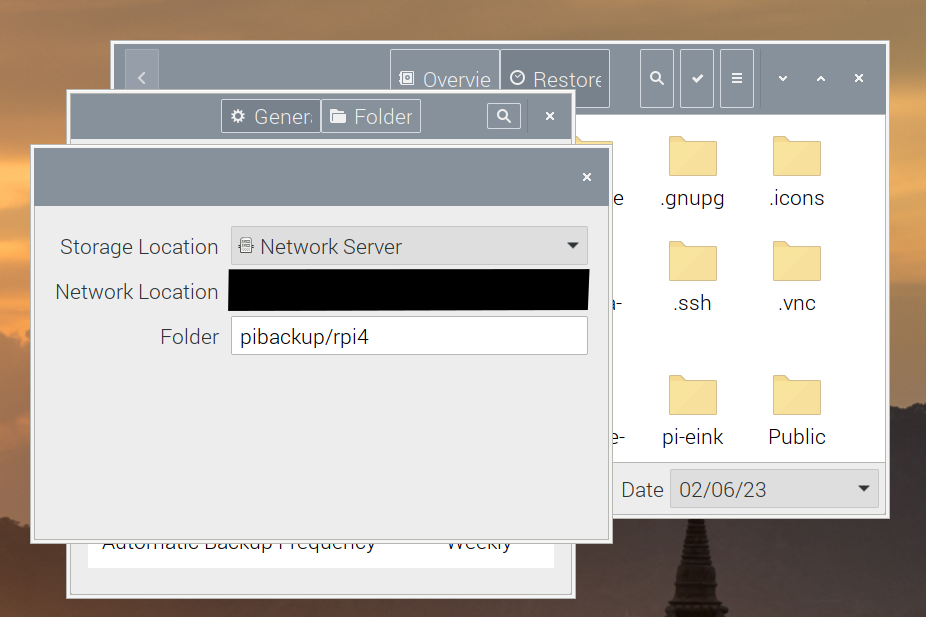
    Before I began, I used gdd on my Mac to make a carbon copy of the original SD card and copied it to my NAS. Then I installed deja-dup on the Pi and made a backup of my home directory. At least this way, I could keep a copy of all the local config files, profiles, and customizations I had kicking around the previous install. It worked really well, if somewhat inconsistently. On the fresh install, I had to define the network location from the preference menu, despite being able to do it from the initial backup view in the past.

    A screenshot showing three layers of windows in Deja Dup layered over each other. The top layer is the storage location chooser with Network Server selected.

    Disable hardware acceleration

    On this fresh install, every browser I tried would crash the entire system basically anytime I had more than one tab open, sometimes sooner. They were extremely slow before they crashed. Upping the amount of RAM available to GPU didn’t do much. After some Googling (DuckDuckGoing?) I found Vivaldi’s documentation for improving performance. One recommendation there was to keep the Task Manager running. When I did, I noticed the GPU eating a lot of memory and processing power and I thought, “I wonder if there’s hardware acceleration on by default.” Sure enough, once I turned that off the browser was more responsive and the system stopped crashing.

    I’ve also been switching back and forth between Vivaldi and Chromium, which also runs better on arm64 with hardware acceleration turned off. I suppose time will tell which ends up being the standard choice. For all the fussing I did over browsers and trying to get 1Password’s extension working, switching to 64 bit seemed to help quite a bit.

    Little things

    Performance: The stock setting for GPU memory was 76MB. Initially, I upped it to 128 while trying to fix my web browser performance issue. I may ned to keep adjusting this. The recommended maximum for any machine with at least 1GB, but the GUI still feels a bit sluggish at that level.

    I also upped the swap limit on this device from 100 to 2048 (2GB) despite the possible risks to my SD card. I was hoping it would help offset the limited amount of RAM, even those SD storage is slower. I haven’t noticed the Pi using more than about 800MB so we’ll see if that hypothesis pans out. It seems to perform better the longer I have it in use, so that’s a good sign, I think?

    Peripherals: Bluetooth connectivity seems better on this fresh install, at least so far my mouse and keyboard reconnect automatically on reboot or when waking. This is a relief compared to the hassle of swapping my trackpad between my iMac and the Pi. A neat trick, though, is that you can use Apple’s keyboard and trackpad plugged in with a USB cable on Linux without installing any additional drivers. I chose to buy a separate, mechanical keyboard for this computer, but if I didn’t mind always being plugged in over USB-A, it would work. I may also buy a cheap wireless USB mouse, too, because I think my Apple Mighty Mouse ca. 2012 or ’13 is on it’s last legs.it

    Screen lock: The risks here are admittedly low since I’m basically the only one around who can use this thing, but auto-locking should help with the occasional drive-but cat if nothing else. Raspberry Pi OS doesn’t include any screensaver so you need to apt install xscreensaver, then configure the lock timing from the preferences menu. You can also add “Lock” to the main menu if you want; I haven’t yet.

    My next project: I have an e-ink bonnet stuck to the GIO pins on this machine. It shows me some basic information about the machine right now, but I’m hoping to make it more useful UX augmentation. So far, though, following the installation instructions from scratch has failed to start this bonnet. I may need to just uninstall everything and start over from scratch.

    Still beats buying new computers

    All things considered, I’m still happy with the decision to use this Raspberry Pi rather than buy some cheap Windows laptop or try to use my work machine but not check in on work while I’m out of the office. It’s also more sustainable to use a computer you already have. Especially given how small and simple this computer is, if I can keep using it to avoid buying something new, that works for me.

    So far, this been an instructive experience to help me appreciate everything that goes into making a commercial, general use, operating system. For all the griping I do about bugs in Mac OS, I have a better appreciation now for how well MacOS does anything out of the box.

    Mac OS and Windows excel by giving you things most people will want out of the box: Screensavers, decent basic photo and right text editors, backup management, complex mouse interactions, often pre-tailored for the system resources it has available. There’s a lot less tinkering required by design.

    Linux is an answer to that idea of completeness that says you should have freedom to decide how you work and what you need. Some distributions, like Ubuntu, ship closer to “complete” than others but you still have those freedoms baked in. Raspberry Pi is meant to be an affordable computer that basically works for a broad range of uses. At that, it really succeeds. For the most part, you can just plug it in and get going — especially if you have a higher end model. It’s not hard to get started, and it’s a good introduction to tinkering and how software makes hardware do useful or convenient things.

  • WordPress at 20

    It’s a little wild that I’ve been using WordPress longer than I’ve been in the (professional) workforce. Something I think about a lot is how impactful WordPress has been on not only my life, but the life of the new web, and how the early decision to empower creators with the four freedoms of the GPL set forth entire product, business, and social decisions about how and why to use WordPress.

    All creators are free to run, study, share, and modify the software. This means any kid with a mind to start a podcast in 2006 could install WordPress on their laptop, immediately learn how bad of an idea that was and install it somewhere else, and then proceed to make a career out of collaborating with others to make and make better that same software, all without asking anybody for permission or paying a licensing fee. When I think about everything I’ve learned over the years about how web sites, databases, servers, and the network connections that tie them all together, it all comes back to WordPress.

    I’d like to someday, but so far haven’t had much to contribute to Core, and a beautiful thing about open source is that’s OK. You can use open source software to empower others to contribute to core, or you can use it to make an impact on your local community. From the smallest non-profit in your town, to the largest entities governments, or the world’s biggest companies: WordPress is at the core of success around the world.

    Thank you, WordPress, for the first twenty, the next twenty, and scores more to come.

  • Sabbatical prep

    I hit five years with Automattic on January 20th 2023 and with that milestone I became eligible for a special benefit: A sabbatical. It’s a bittersweet timing, a little, because we’re in the middle of an exciting growth opportunity for the public sector, and especially the federal marketplace. Still, I’m extremely excited for June 19th when I get to turn off my work computer, delete Slack and the WordPress.com apps from my phone and log out until September. This will be the last time we have an entire summer off together as a family and we’re not going sleep on that opportunity.

    One thing we’ve been asked a lot is what our plans are. We do indeed have plans, and we’ll blog about them over on the family blog. We flee the country on June 19th for a long overdue international trip with Laszlo and then will spend the remaining time enjoying our summer, doing local travel, and likely visiting friends and family in Minnesota.

    In an effort to fully separate myself from work, and not be tempted to check up on people and see how things are going, I’m not only turning my work computers off, but storing them away. I have an iMac that sits on my desk, it’ll go back in its box. My laptop I plan to charge to 50% and store in the closet. The only things I’ll log into are the government issued machines,to ensure I don’t get permanently locked out of them.

    But I’ve relied heavily on my work computer for personal use the last few years. Certain banking tasks, blogging, the occasional side project, all remain much easier to do on a laptop or desktop with a full featured GUI than attempting to tap things and mash my fingers onto small keys or a touchscreen keyboard.

    Year of the Linux Desktop

    It’s a bit of an experiment, I’ll admit, but my plan is to use a Raspberry Pi for the work better suited to a full computer. I have a few of them on hand including a Raspberry Pi 4B with 1GB of RAM. It’s a bit low-resourced even for a Pi, but the entire thing: cables, 128GB storage, case, HMDI cable, even a little e-ink HAT cost me probably around $100 total and has been in service for the last few years already. So if it doesn’t work out, it can go back to being a Pi-hole, or a media server, or whatever I think of for my next pi project. I’m committed to giving it a shot, though, as a primary desktop workstation. A “daily driver” if you will.

    Pi OS Lite to full desktop

    When I originally put this Pi in service, I used it for running pi-hole, Homebridge, and briefly, Home Assistant. I didn’t have a screen dedicated to it, nor did I need one. Everything I needed to do with it could be done over SSH with auto-login of the pi user. I installed Raspberry Pi OS lite, and since it would always be plugged in to a router, I actually disabled the WiFi radio entirely. The first stage in my journey to a Linux desktop was to convert the OS to full Raspberry Pi OS by installing a GUI and then re-enabling the WiFi and bluetooth radios. It was relatively easy to do and there are good guides for the former online.

    I largely followed the advice from Raspberry Pi Tips for how to install a GUI and configure the Pi to boot from it. I’ve dabbled with Ubuntu in virtual machines here and there but am new enough to desktop Linux to not have a preference when it came to GUI so I went with PIXEL, which is a pared-down and pre-configured version of the already-lightweight LXDE (which I have some experience with). Once I had it all installed and working, I set out to figure out if I could make it work for me.

    A capable browser: Vivaldi

    I haven’t installed a theme yet or added many applications, because at 1GB of memory, this machine is pretty resource constrained as it is. One choice I did make was for a web browser. Raspberry Pi OS comes with Firefox ESR, Dillo, and a basic WebKit browser pre-installed. I also installed Chromium and Vivaldi to test their performance on the Pi. I found all of these to be limited, but all but Vivaldi were unable to reliably run an essential add-on: 1Password. So, for at least the months of my sabbatical when I’m at home, I’ll be a Vivaldi user. So far, I like it but I don’t know if I’ll give up Firefox as my primary for personal use on other platforms anytime soon.

    A decent keyboard

    All the keyboards I have lying around right now are either in use by someone else, or they’re old, big, or broken thanks to cats pushing them off shelves. I have a Keychron K2 that I love to use, so I bought another one just for use with this computer. This will help make the Pi much easier to use, and more pleasing on the fingertips.

    Issues to work through

    Adjusting to desktop Linux is far easier in 2023 than the last time I tried it in, probably, 2008. Pretty much everything works out of the box including printing to the same Brother Printer Everybody Else Has and connecting arbitrary peripherals like an Apple mouse and Logitech keyboard. Still, there’s was some real work to do to get things as I need them; using Raspberry Pi OS for everyday things is an exercise in patience. But the first time I tried to install Ubuntu on my 2007 MacBook, for example, I had to program in support for two finger scrolling on the built in trackpad, comparatively the Pi Just Works.

    One example of this is automatic screen locking and screensavers. I had to edit a configuration file to get a “Lock” item in the main menu bar. I had to install xscreensaver and then configure it to lock the screen after a certain period of time. It’s possible if I hadn’t installed “Lite” OS from the start, these would have been built in, I’m not sure. Regardless, juggling the difference between screen “blanking” “saving” and “locking” was not entirely intuitive and required some manual work.

    Another limitation I’ll have to contend with is the limited RAM. This machine freezes up quickly under intensive load from complex webpages. I may be able to “solve” this by using Dillo for most things and only using Vivaldi when I need to log in or do something highly interactive. Regardless, I’ll have to be really intentional about limiting my open tabs and apps to keep memory usage under 1GB. If this all works out, I may decide to purchase an 8GB version of the same Pi which should be plenty.

    There are a lot of other little things I need to figure out too. Like, how to reliably set display resolution. I have a fairly large screen and while I can make good use of it, the settings don’t always persist between reboots, and a separate application I used to control it seems to have vanished, possibly accidentally. A funny thing is that cursor size doesn’t seem to scale with the rest of the display, so I have a giant mouse pointer relative to the buttons and text I’m selecting. For now it’s equal parts fun and frustrating. I hope it trends more toward equal parts fun and enjoyable.

    Mobile

    With all my laptops stashed away, I only have the iPad I’m using to write this post available for mobile use. Normally, for writing blog posts, I’d use the Jetpack app on my iPad, but were I to do that during my sabbatical, I’d have to find a way to ignore or disable notifications from work that push through that app. I’m not sure that’s possible, so instead I plan to log in with the web browser and saved my sites as progressive web apps. So far, so good on that front.

    I definitely have some work to figure out. Since I self host this site, I have relied pretty heavily on Jetpack for mobile editing and haven’t really tried to upload images or work with content from a tablet. I’m getting a strange error when I try to upload from the Photos Library, and I’m not sure what that’s about. The wp-admin interface is still geared more toward desktop use than the tablet form factor, but so far I’m pleased with how it’s going.

    Beyond blogging there really isn’t much I need to change in order to adapt to my iPad over a laptop. I already prefer the smaller and more portable screen compared to a laptop, and the relatively simple interface. The Magic Keyboard Folio makes it pretty easy to type and navigate webpages on an iPad wherever I am. Once I can get these details sorted out, I should be set.

    What could go wrong?

    Not much really. The down side of all this might be that I just don’t really use a computer much while I’m on sabbatical. I can’t say that’d really be a problem. In fact, it’s kinda the point of going on sabbatical isn’t it? I have a few projects I hope to take on but if I don’t get to them, so what? As long as I can blog while I travel, no big deal.

  • A small act of accessibility

    I keep a small office in a building in my neighborhood. It works out nicely that my employer defrays the cost a bit because unlike apparently everybody else with a remote job I can’t seem to get any work done while sharing a small home office with another person and with wild animals pets, and a child running around. So I have a small office, but one that’s big enough to share. When my neighbor, who is apparently the only other person with this problem, asked if he could use some of the space, I said yes.

    The way I usually tell the internet is for sure out is by looking at my router. If the little globe with a line going around it LED is amber, the incoming signal is out. So I explained all of that to him and learned he is colorblind and wouldn’t have known the light was amber if I hadn’t told him.

    This is a good real-world example of why it’s important to avoid designing with color as the only way information is conveyed. Our internet connection comes from a centrally managed switch elsewhere in the building. Even if we could access it, the indicators there are also green and amber.

    To help my officemate, I used a raspberry pi we keep in the office. On a normal day, it is our pi-hole but I bought this Adafruit Mini Pitft HAT for it a while back. It runs a python script that shows some basic information. If you push one of the buttons you can disable the Pi-hole. It’s similar to Adafruit’s basic tutorial.

    Until today, I struggled to think of how to make it really useful. Then, I had the idea to use it to check if the Pi can reach the internet. This way, my officemate can just check the pi, where it’s written in black and white, to see if the network is down for everybody or just him.

    import socket
    …
    def isConnected():
    try:
      socket.create_connection(("1.1.1.1", "53"))
      return True
    except OSError:
      return False
    …
    connected = isConnected()
    if connected:
          draw.text((x, y), "Internet is connected", font=font, fill="#FFFFFF")
    else:
          draw.text((x, y), "Internet is disconnected", font=font,fill="#FFFFFF")

    Pretty simple, took me about five minutes.

    Now I’m thinking about other ways we could use it to send messages to each other without having to both be in the room. Maybe a little WordPress site with P2 on it. If we notice the internet is down, something broke, or the building management sent a message, we can put up a post that says so and when we notified the support desk. That could be useful. Since it’s running locally we wouldn’t need the actual internet to access it, which would be handy.

    Whatever I do has to be pretty lightweight since the Pi Zero has limited resources.

  • Books of 2022

    I didn’t finish quite as many books (for grown ups) this year as I did in 2021. In part, because I read fewer graphic novels, in part because 2022 was more exhausting somehow. Still, I did finish quite a few books, few of them published this year, but all of them worth reading. Here’s the short list:

    Kindred, Octavia Butler

    A fantastic book I’m glad I got around to reading before it turned into a series. Butler imagines what someone would actually do if they could time travel, and how your parallel realities would conflict with each other. While other books present a glamorized idea about time travel and being able to either directly interfere with or passively observe the past on the traveler’s terms. Butler imagines it as something totally out of your control, and when you get there, you are an active, obligate participant in the present. I loved this and Butler’s trick of making this whole world and story make sense without having to explain entirely how or why these things happen to Dana, just like many other parts of her life, and the lives of Black women in America throughout history.

    Buy Kindred from bookshop.org or your local book store.

    Tomboyland, Melissa Faliveno

    This set of personal essays from the point of view of a non-binary person who grew up in southwestern Wisconsin. It begins with an essay set in the driftless area city of Mount Horeb, just up the highway from Barneveld which was mercilessly destroyed by a tornado in June, 1984 when they were a child. This sets the tone and mood for the book’s remainder: A deep examination of gender, sexuality, and how to find pleasure and fulfillment when powerful external forces try their hardest to stop you.

    Buy Tomboyland from bookshop.org or your local book store.

    In the Dream House, Carmen Maria Machado

    The first book I read in 2022 ended up being one that stuck with me through the rest of the year. This memoir is unlike any I’ve ever read. The structure is inventive, pushing the bounds of what we should expect from a “chapter,” or even paragraph, of a book. It’s also one of a small catalog of books that tell stories of domestic violence in queer relationships. It’s bold and risky to tell her story this way, breaking the mold of the memoir and it more than pays off for Machado.

    Buy In the Dream House on bookshop.org or your local book store.

    The Heads of the Colored People, Nafissa Thompson-Spires

    I recently finished this book and wrote about it on this blog. I won’t repeat myself here, but I still highly recommend it among the best books I read last year.

    Buy The Heads of the Colored People on bookshop.org or your local book store.

    Fates and Furies, Lauren Groff

    What to say about this book. Lotto, short for Lancelot, and lives a life of fame and artistic utopia alongside his wife Mathilde. He worked to get to where he was but lived his life knowing he was a genius, believing it, and making terrible choices blinded by his own hubris. While reviewers managed to spill hundreds more words without spoiling the story, I’m not sure I can. Unlike other long, complicated novels I’ve read (Infinite Jest, for example), Fates and Furies manages make it worth the commitment of time, emotion, and effort required to read through it.

    Buy Fates and Furies on bookshop.org or your local book store.

    H is for Hawk, Helen Macdonald

    Another book I was late to the game on, this was also another captivating memoir. We never learn how her father died, but we learn a great deal about the depths Macdonald landed to train a Goshawk while she grieved the loss of her father. Her fixation on training her Gos was contrasted with the rest of her life seeming to fall apart as we are all wont to do in times of intense grief. This contrasted with the history of hawking, especially T.H. White’s account, we get a glimpse of how similarly temperamental hawks are to raise as deaths are to grieve. For what it’s worth, I also learned I would not have the patience or bravery required to share my home with any raptor, let alone a Goshawk.

    H is for Hawk or your local book store.


    I started 2023 with Emily St. John Mandel’s Glass Hotel and am rapidly approaching the finish as I write this. So far, I’m optimistic it makes this year’s list come December. Hopefully Goodreads will also make it easier for me to remember what I started and finished, too.

  • Jerry Craft on NPR

    This interview with author Jerry Craft on Morning Edition last week was fantastic. I’ve really appreciated the perspective that A Martínez brings to Morning Edition, especially when interviewing authors of color. Anyway, I’ll be on the lookout for Jerry’s books this year.

  • Four years of Christmas quinzhees

    A quinzhee is a temporary snow shelter made by piling up snow, letting it set, and then hollowing it out. Temperatures inside a well-made quinzhee can exceed 45º once people are inside, and if the door is blocked or positioned opposite the wind, it can also be a significant wind block, which is handy when the windchills get dangerous. For the last four years, I’ve started a tradition of building a quinzhee every year when we’re up north for Christmas or New Years. It’s a good work out, takes about a full day, and gives you a good excuse to warm up by the fire, plus it’s just kinda fun to pile all that snow and dig it out.

    Quinzhees can be slept in, and I did sleep in one during a winter camp outing many years ago. But we prefer to sleep in the warm house a few steps away. Maybe some year we’ll get one built in time to prepare an outdoor sleep. Typically, our quinzhees are for cocoa breaks and to warm up when we’re playing outside, and that’s how we like ’em. Here are the quinzhees:

    2019-2020

    2020-2021

    2021-2022

    2022-2023

    We can’t wait to see what kinds of quinzhees we get into in 2023! Happy New Year!

  • On Twitter and social media stuff

    I was an early adopter of Twitter, I suppose. It was founded in 2006 and I think I created my account in 2007 or 2008. There were only a handful of people I knew with an account and it was a pretty exciting time to be a user. Back then, you could use the website, an app, SMS, Jabber … and probably other ways I forgot about. The purpose of it has changed a lot since then, as have how we use our phones and how companies like Twitter allow us to use them to interact with their service.

    What we’re allowed to do is the bit I keep coming back to. Twitter has steadily constricted the ways its users are allowed to engage with each other while making minimal improvements to how the remaining avenues work.

    They’re not all bad, per se. “Retweeting” has been a part of Twitter since the beginning but it used to be clunky and lossy. The retweet button and quote tweet feature was a big improvement on that, as was using a first party service for adding images and link shortening. Those make the thing better but it’s incremental improvements to match existing behavior.

    A lot of those improvements were aimed at measuring the reach of a given post. Once retweets were formalized, they could also be counted. At some point Twitter made a decision that they were a platform for promotion of speech rather than microblogging, a phenomenon they didn’t invent but certainly helped popularize. It’s interesting to read the original Kottke.org piece about microblogging (“tumblelogs” as they were known in 2005) as a reaction to what blogging had become but 2005 because there are real parallels to where Twitter is today.

    blog entries turned into short magazine articles, and posts belonged to a conversation distributed throughout the entire blogosphere.

    Kottke.org, October 2005

    The thing that made Twitter unique in the past was the freedom to publish from a variety of sources with constraints. You had about a text message’s worth of characters you could tweet, which made it really hard to say a lot of stuff. There was no edit button (there still isn’t, fwiw) so saying things precisely or elegantly was difficult and there was a lot of leniency for people who got things wrong.

    These days, you can “thread“ tweets of 280 characters together into what are basically blog posts. Each tweet is a concise paragraph, or part of one, and if you string enough of them together you can say quite a lot without a ton of effort. I suppose we should thank Twitter for encouraging pithy paragraphs, but I’m not sure we should give them that much credit. You can just string together as many of them as you want and now you’re just as long winded as I am on this blog.

    Again, though, people were already doing it and rather than continue to make it hard to read and write, Twitter, to their credit, made it a little better. All of these little improvements added up to turning twitter into a closed platform, with high stakes, and low barrier to entry. Now, every tweet needs to be thought out, drafted in advance, and threaded with appropriate context if you want anybody to see it (unless you’re already ludicrously powerful on Twitter) and that basically makes it a platform for punditry.

    So what do we do now that well intentioned shareholder-driven leadership has given way to … arbitrary chaos? A lot of people are jumping on Mastodon, which feels, to me, like what Twitter could have been if users had driven development instead of shareholder value. But it’s far from perfect. For one, the character count is absurdly high, in my opinion. Another is that while the “benevolent dictator for life” of Mastodon seems to have better intentions than the current leader of Twitter, Eugen Rochko still describes himself as a dictator and acts like one particularly, by stonewalling popular and useful improvements.

    Still there’s a lot to like in a federated and open source microblogging platform and that’s why I’m excited less by Mastodon and more by the possibilities of Activity Pub, the underlying technology. Seeing other incumbents in the microblogging space like Tumblr jump into the decentralized content creation and aggregation game.

    Another thing we can all do is start blogging again. I for one have annual ambitions to start blogging more but always seem to eke out only about three or four posts. I fall back on Twitter and not feeling like I have a lot to say on my blog. But I’m joining Bring Back Blogging to commit to blogging at least three times in January.

    I’m excited to get back into things that aren’t centralized, and blogging is about the least centralized avenue available to us right now. And that’s maybe the best thing Elon Musk is doing to the web by turning Twitter into an anti-Semitic, fascist-sympathizing cesspool. We’ve all collectively been on autopilot on Twitter: a single, proprietary, platform, and we’re seeing the consequences of being so dependent on that regime. Fortunately, there’s no reason we can’t find the tools to replace Twitter’s realtime news distribution platform with a more decentralized suite of tools that work for the different groups of people who need to use it.

    Content management systems can integrate with Activity Pub or allow individual authors to maintain independent websites or official news feeds so readers can follow local journalists and stay on top of ongoing events just like they do on Twitter. In doing so we can lower the bar for what’s worth posting on our own websites. We can own the content and socialize it out at the same time. For the first time in a while, it’s an exciting time to be online.

  • Getting back into Goodreads

    I know I’m late to the party here but I’ve been having fun starting up my Goodreads account again. Based on the books I was in-progress on, I’m guessing I stopped using it back in 2012 or ‘13. Safe to say I’m not going to be able to backfill all my books since then, but I can definitely cull some of the David Foster Wallace books from the to-read list.

    The latest book I finished this morning was The Heads of the Colored People by Nafissa Thompson-Spires. It’s a fantastic and tidy collection of short stories, character sketches, really that made me laugh, cry, and think on class, race, and public life. As the name suggests, the primary characters are all Black, and specifically, a diverse ensemble of Black working people: Artists, academics, parents, nurses, and doctors. I highly recommend it and I’m definitely excited to see what Thompson-Spires writes next.

    I’m not sure what comes next, maybe I’ll find a recommendation in Goodreads.