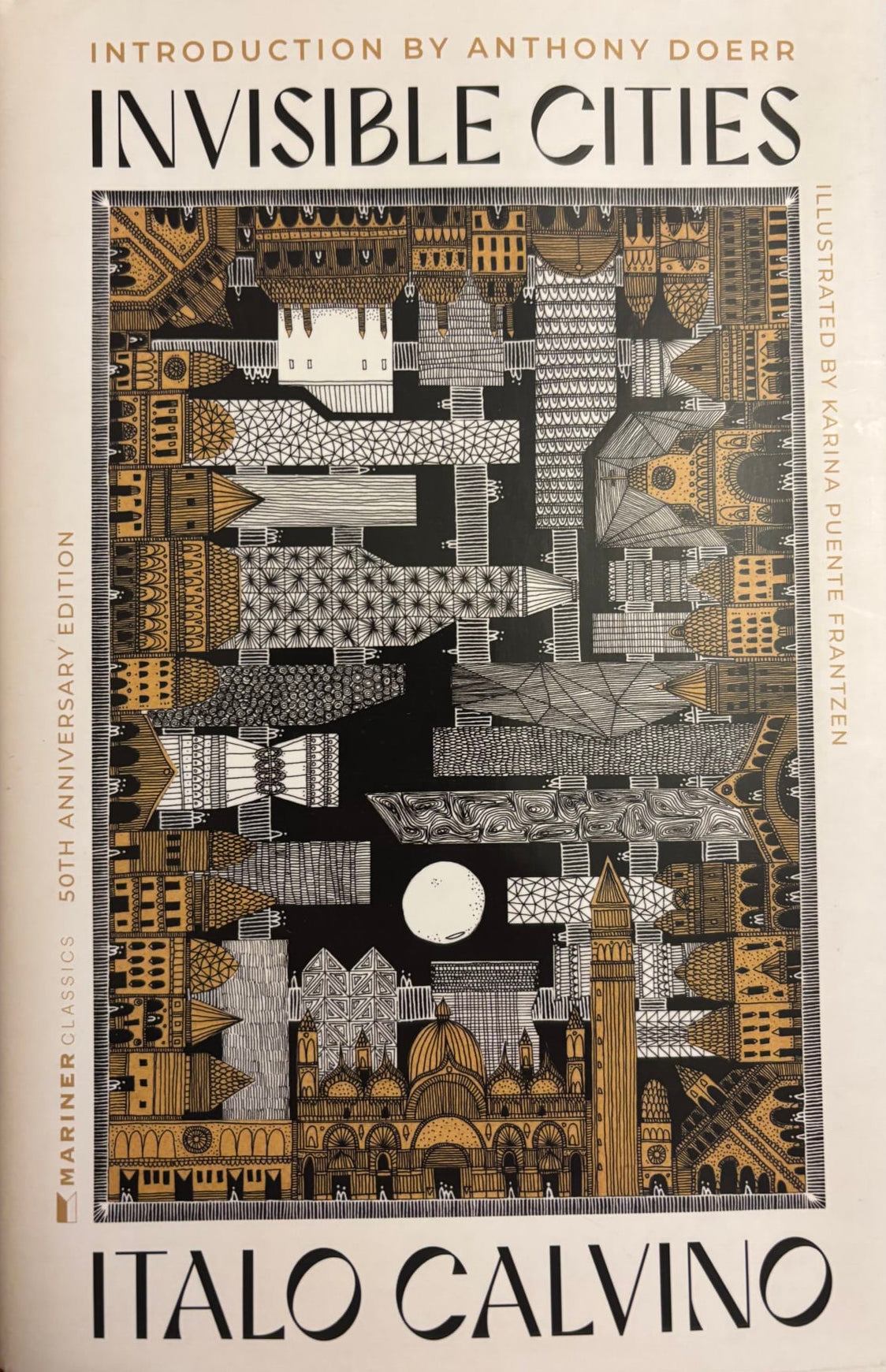
I didn’t know until recently that Marco Polo’s travels through China during the 13th Century weren’t in fact written down by him. They were dictated to Rustichello de Pisa, whom Polo shared a prison cell with in Genoa. It’s important here to remember that despite Rome being a hugely important empire, after its fall, Italy was not a singular place until the 19th century. Even though Pisa, Genoa, and Venice seem basically neighbors today, that was not the case for most of their respective histories.
When Polo and Rustichello found each other in prison, Venice and Genoa were embroiled in a bitter war as rival maritime powers of the Mediterranean. Polo was captured after leading a battleship against Genoa and thrown in the clink with Rustichello who was captured about a decade earlier during the Genoese-Pisan War. I oversimplified the history because wow, such carnage!
Anyway, for a long period of time a lot of people wondered or outright accused Polo of making all this stuff about China up. He wasn’t the first person to travel there, and his accounts of places and cultures he encountered were so fantastical, many wondered how it could possibly be true. Later, in the 19th and 20th Centuries, academics questioned why he never mentioned basic things the west had come to associate with China: The Great Wall, footbinding, and the Chinese writing system, to name a few. Plus, Rustichello was a romance writer so could we really take him seriously for non-fiction?
Most scholars seem to agree these days that the journeys accounted for in The Travels really happened more or less as the books recounts them. That certainty did not come until 2012, though, so in 1976 when Italo Calvino wrote Hidden Cities, the mystique of Marco Polo was very much still in the air and contributes to what makes his book so clever.
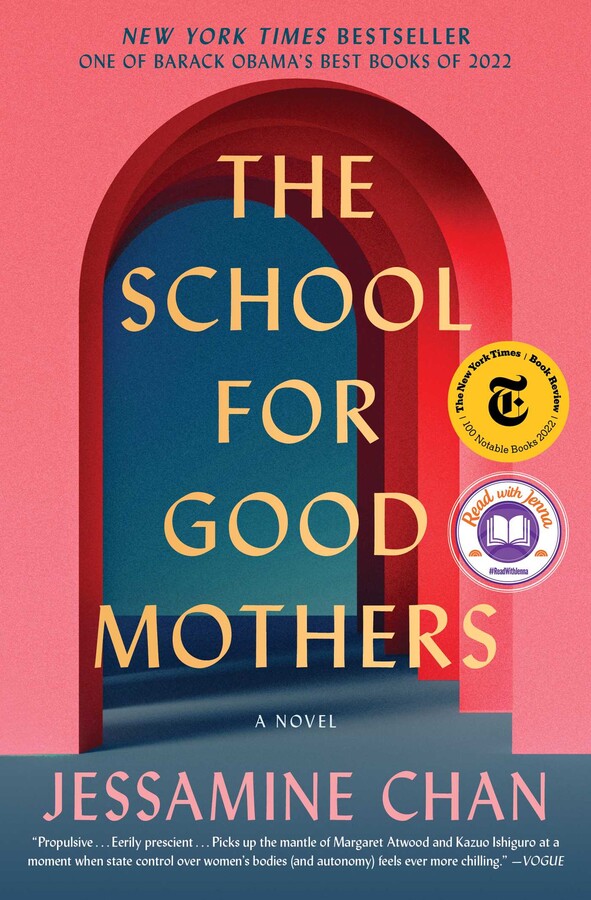
My kid fell out of a tree while he was at a camp this summer. He wasn’t injured but the camp called us about it. Am I a bad parent for sending him to a camp where he could fall out of a tree? We left him with a nanny when he was six months old because to pay the bills required two working parents. Does that make us bad parents? How should the state determine if we should keep our child? These are the questions Jessamine Chan asks in The School for Good Mothers, an astonishing debut novel that gave me nightmares, and yet I couldn’t put it down.
Frida Liu, tho book’s protagonist, is like so many of us middle-aged working millennials: Overworked and overburdened by the endless little things that must be taken care of in order to do the basic job of parenting. Liu makes one (very big) mistake that transforms her from a flawed person to a danger to her child — at least in the eyes of the state.
Chan is among a few artists over the last few years to ponder how modern life expects perfection from parents, mothers in particular, while also setting them up for total failure. The film If I had Legs I’d Kick You and show Maximum Pleasure Guaranteed both rattled around in my head while I read this book; like backstories for Chan’s side characters at the eponymous school.
Each work centers on a mother, actually or ostensibly single, beaten down by the vicissitudes of capitalism and the state’s role in enforcing that perfection. Each story tackles it from a different direction but in all three the institutions and individuals who are meant to support them utterly fail to give them what they need to sustain “good” parenting.
At one point in ‘School‘ Frida asks herself what was so important about her work that led to the very bad choice that landed her in the eponymous not-a-prison re-education institution. It’s clear to the reader: She had no choice. Her job was the only means of earning an income to support everything else she needs to sustain single parenting. In the same way, Rose Byrne’s Linda in If I Had Legsneeded to work to provide the expensive medical care her daughter needed and cover the expensive repairs to the hole in their ceiling; Tatiana Maslany’s promotion at work in Maximum was essential to proving to the court she was a competent parent worthy of shared custody with her ex-husband. To choose not to work puts in peril access to health care, housing, and future security because we have no meaningful social safety net in the US. It’s not optional.
Even if it is, work can be mentally refreshing, enlightening, and a way to show your child what it means to take pride and advance a goal larger than yourself. I loved how If I had Legs I’d Kick You and Maximum Pleasure Guaranteed showed their characters doing work. American capitalism betrays that notion by tethering our lives to work. You can only afford health care if you have a job, and only then if that job decides to provide strong benefits. We don’t put nearly enough emphasis on the risk when that employer goes away, lets you go, or you can’t be there for them because your child needs you more.
These three works take a magnifying glass to the state of American capitalism and reveal its ruthlessness. At once, we tell parents they must work to earn the income and benefits required to provide for their family but also that any hour not spent with our children puts them at risk. It’s an impossible paradox colored even further by the extreme constraints we place on what little social safety net we do have. We have a US Government that assumes people who apply for child care benefits are fraudsters. And now, single parents may be excluded from them entirely because they work and are not married.
We already live in the world imagined by these works. The horror is that their worst consequences feel increasingly real, too.
Stipulated: I’m very happy for David Crowley. He’s a great candidate I look forward to supporting today and beyond election day. If he’s half the governor he is a county commissioner, he’ll be tremendously successful.
But I remain a Hong supporter, too, and there is nothing surprising let alone “stunning” about the outcome of last night’s election, as the NY Times would like you to believe.
Francesca Hong, a democratic socialist, entered Tuesday evening’s Wisconsin primary for governor as the Democratic favorite, with a lead in the polls built on months of grass-roots organizing and a left-wing message that seemed to fit the moment of establishment unease.
Favorite is doing a lot of work here as it has in nearly every story written about this race. The word implies she had a clear majority going into yesterday, but she never did. Even the Journal Sentinel called it a “shocking finish to a surreal primary.”
It reflects how newspaper editors always want to name a presumptive nominee, rather than what the electorate is feeling in their day-to-day.
If polling is to be believed, 38% of voters were undecided on July 29, two weeks before the election. The week before it was 45%. The latest Marquette poll last week showed Hong 38, undecided 34, and Barnes, who dropped out of the race, still pulling 16%. Sure Hong was polling higher than anybody else. Crowley was at 7%. But with that many undecided or committed to candidate who withdrew, about half the electorate needed to pick a candidate last night. It was always anybody’s race.
If anything last night’s outcomes show the need for ranked choice if not formal runoff elections in Wisconsin. Last night, 61% of people voted for someone other than David Crowley, yet he still “won” the election. It reminds me of elections in the late-90s and through the 2010s when the following candidates all won Gubernatorial elections with less than 50% of the vote.
In each of those four elections, a decade of MN politics, the winner of the election had more people vote against them. That should not be possible in the United States in 2026. It’s impossible to know the outcomes had those elections had runoffs.
Runoffs also help avoid people casting a vote for an ineligible candidate. In Wisconsin, you’re not allowed to spoil your ballot even if your candidate dropped out. You just have to accept that your vote is meaningless.
Until we have better elections we can’t make sweeping claims about “the limits of the left” or that “the democratic socialist wave cannot reach beyond urban centers,” tempting as they are for the clicks. We particularly should avoid them when the data don’t bear them out:
Hong lost by less than 5000 votes statewide
65 thousand people voted for a candidate who withdrew (Barnes + Rodriguez)
The last book I read by Melissa Faliveno was her collection of personal essays called Tomboyland. I loved that book. It holds new weight four years later when the assault on queerness continues at a national scale. I imagine for many queer youth, life in towns like Mt. Horeb (and indeed even cities like Madison or Milwaukee) today remains challenging and fraught with assumptions and prejudices from people who can’t be bothered to understand.
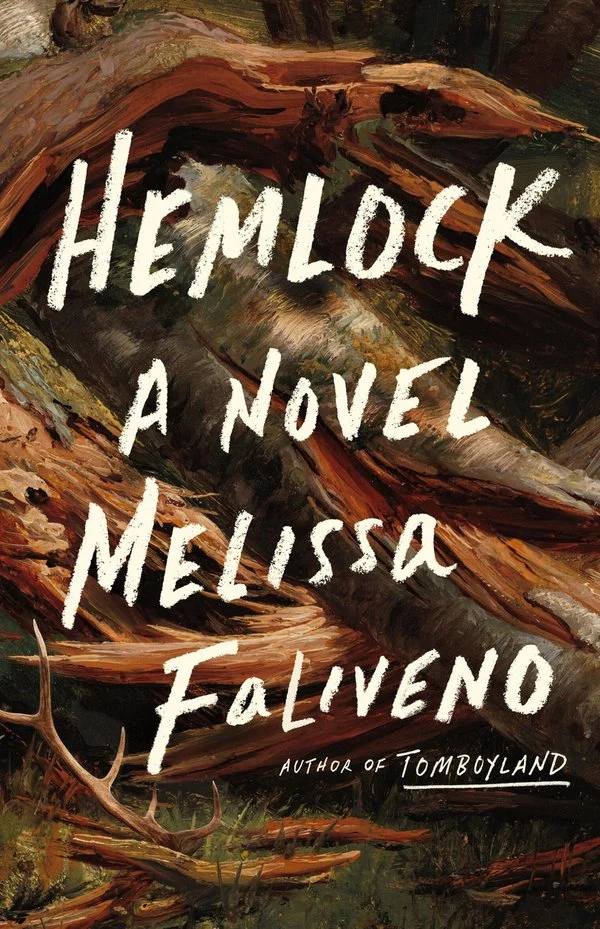
Her latest book, Hemlock, is a gothic novel set in Northern Wisconsin. Maybe we’re calling this Boreal Gothic? Sam grew up going to the northwoods as a child, but eventually life took her to New York City and eventually included her partner, Stephen, and cat, Monster. Something calls her back to her family’s cabin in Wisconsin, Hemlock, built by her father and neglected after her mother died three years after her mother mysteriously vanished into the woods.
Faliveno foreshadows early in the novel that a darkness lurks in Hemlock. The darkness that took her mother, smothered her father in grief, and goes by the name of alcohol. Strange things begin to happen to Sam’s reality. A doe begins to talk to her at the trough she set up for feeding. She wakes up in the woods. Bloody footprints stain the cabin floor.
I liked this book, and despite its flaws, I’m glad I read it and largely agree with the praise it’s received from more professional reviewers. This is a debut novel worthy of your time by an author who deserves your support. Go buy it, or check it out from your local library.
Any novel requires some suspension of disbelief. In this novel, it comes from the depictions of Northern Wisconsin’s human geography. Intentional exaggeration of the population and circumstances helps Faliveno setup a classically gothic setting but it’s unintentionally overdone. There were also times reading the book where I found myself thinking: I get it Fali, Sam is in Vilas County, quit telling me and start just being there! Some of that may be due to the close-third person perspective. A first person point of view could have helped with both of these problems; it could make clear these are Sam’s specific observations, not the author’s broad generalizations.
Another issue is timing. The book establishes it’s been three years since her mother’s disappearance, but probably less than that since Sam or her father last visited Hemlock. It felt like both too little and too much time to elapse between her mother’s death and the present. Unless someone was care-taking for her father, a 40 year old pick up truck would absolutely need it’s battery and fuel replaced after sitting cold for that long. Hemlock would have an uninhabitable rodent problem, and Sam’s priority for repair would tend toward the structural, not the cosmetic.
I also think Sam would be more familiar with the place after such a short time. Sam’s experience often made me feel like I was returning to my grandpa’s cabin in Aitkin County, MN — a place I haven’t visited since shortly after he died 16 years ago. Maybe it all would have cohered a bit more if the timeline were compressed: It’s been almost a year and her father still can’t bring himself to return. Or lengthened: In the last decade, Hemlock was basically maintained, but neglected by family who really care.
Still there is plenty to love in this book. The construction of addiction as a cryptid lurking in the woods is a particular stroke of brilliance. It that might devour you, turn you into a predator, or make you vanish into thin air. Or it may not exist at all. It’s certainly a powerful metaphor for how it feels to watch a friend or loved one suffer addiction.
Though they are both about addiction, Hemlock is a micro-level tale without the scale of Demon Copperhead. In this book we watch a person unravel over a matter of months, surrounded by almost nobody, and fully aware of what’s happening. Sam has, or thinks she has, nobody to pretend to love her. Nobody but herself to feed her demon. The people who genuinely do love her are hundreds or thousands of miles away. Sam makes choices throughout the book she’ll live with for the rest of her life.
I’m not sure I want to read another book about addiction this year, but I’m glad Danielle dropped this one on my nightstand. It’s a strong first novel from a writer I suspect I’ll continue to admire for a long time.
To give a sense of how deep Superior Maximus is, the surface is about 650 feet above sea level and the deepest point is 733 feet below sea level. In fact, a similar thing happens in every state that borders the Great Lakes except Pennsylvania. It really reinforces how large and deep these lakes are.
The crew included Michigan DNR researcher Shawn Sitar, and filmmakers Yvonne Drebert and Zach Melnick. The footage from this expedition will be part of their forthcoming documentary, Hidden Below: The Great Lakes. Drebert and Melnick are fellows for the Royal Canadian Geographic Society, and have produced several documentaries about the lakes and their freshwater ecosystems.
Earlier this week, I wrote about WP TUI, a terminal user interface for writing posts and pages on WordPress. I wrote that post, and now this one with it. Today, I’m pleased to say wptui is now available on pypi and GitHub and I’d love your feedback. It comes with a GPL license just like WordPress, so feel free to inspect, modify, or use it as you please. Remember, it’s free as in speech.
You do not need any special plugin to use this, but you do need the REST API enabled and valid TLS (https) for your site. If your host makes HTTPS complicated, I recommend Pressable. To use WP TUI you do need to install pipx.
Then run pipx ensurepath. Once you have pipx you can install wptui. Run pipx install wptui.
Once installed, create an application password in you WP-Admin and run wptui to get started. The TUI will ask for a host URL, username, and password. The password is stored in your system’s secret backend: MacOS Keychain, Windows Credential Locker, or Linux Secret Service. Your password is not lying around in plaintext and you don’t have to worry about losing it to an upgrade in the future. This does mean it may not work in an SSH environment or a non-standard install. If you’re running a linux without a GUI (a server, for example), this may not be available to you. I’m working on supporting password managers like 1Password or keepass but it’s not there yet.
“Free software” means software that respects users’ freedom and community. Roughly, it means that the users have the freedom to run, copy, distribute, study, change and improve the software. Thus, “free software” is a matter of liberty, not price. To understand the concept, you should think of “free” as in “free speech,” not as in “free beer”.
Once you’re logged in, you should see a list of your posts and keyboard shortcuts along the bottom edge. Type ^n (control + n) to create a new post and start writing.
Usage
It should feel pretty familiar out of the box. Type a headline, ^n to create a new paragraph, then you’re writing a blog post. For inline styling like emphasis and strong use markdown syntax (** for strong, * for emphasis). The post will not be pushed to your WordPress site until you first hit ^s to save the post.
Out of the box, it supports most block types that ship with core. Note, I have not tested them all and it does not support your custom blocks. I would avoid editing them on important posts until you test it somewhere safe. This tool isn’t meant to replace WP-Admin or support complex visuals. It’s a text-based interface. If you add an image, you get a textual representation of that image. (Maybe it’d be cool to generate a representation of the picture someday.) In this way it’s very much an accessibility forward tool. Plus, it has Vim mode. Invoke f2 and you’ll feel right at home and even get an indication of what mode a given block is in.
You can add images with ^g and you’ll get an interactive dialog to choose an image already in your media library, or upload your own.
If you upload your own, you can click and drag the file from your systems browser (Finder, Nautalis, Explorer, etc.), enter the appropriate details (alt text, caption, etc.) and the file will upload.
Publishing
Save a post with ^s to push your draft to your site. To publish, you need to enter the post’s settings (^e) and manually set the post status to published. Other than that, the same default behavior you’d expect from WordPress happens out of the box. The slug is generated, the pub date is updated, etc. I often forget to add tags and categories before I publish, so I like the extra deliberate step of switching the post status from draft to publish. Maybe if I get sick of it, or users request it, it can change to a “publish” button that saves and changes the post status.
Known rough edges
A few things I’ve noticed writing this post and dinking around with it.
You can’t split a paragraph at the cursor. If you’re editing and realize you wrote two paragraphs without interruption, you have to copy-paste the text to split it.
You can’t enter an attribution on a block quote.
When you reach the bottom of your terminal window and add a new paragraph, the cursor and block does not scroll into view.
Certain interactions seem to break tab navigation (like leaving a list from a list-item). Fortunately, mouse interaction still works to break out. Click the next non-list-item.
Selecting text across blocks does not work. (You can’t delete the last sentence from a paragraph and the first sentence of the next paragraph.)
The clipboard is local to the TUI. ^c and ^v will copy and paste within the post. When pasting an item from the system clipboard, you must shift+ctrl+v on Linux or cmd+v in MacOS. This is similar to other TUI text editors, so probably won’t fix this. Worth knowing for those who are new to TUIs.
Unordered lists might exhibit strange nesting.
Roadmap
I don’t have much planned for this beyond a Homebrew release. I’d like users to be able to use this as easily as possible. Between pipx and brew I think that’d get pretty close. I also want it to come in at a pretty tidy payload so it can run on a variety of hardware. New features will come with a cost. It’s only 127.4kb now, so I have plenty of room to work with.
In theory, I could use the abilities API to take any action a properly authenticated user can do in the wp-adimn. It’s tempting to make this a full featured WP management TUI. For now, I plan to keep it primarily for writing and editing blog posts. Any immediate improvements I make will be to address these rough edges and respond to feeback from any users who actually try it out.
After that, the focus will be primarily on increased block and editorial supports. Things like custom post types or more complex blocks are on my mind right now. It could also be interesting to think about other ways to represent images beyond text. Maybe an ANSII represntation or 16 bit rendering? I’ll have to do some researching.
This was a fun project to take on. I’ve always been interested in TUIs. Without Compound Engineering, I don’t think I would have gotten close to this far before life interrupted. I might have started it, gotten as far as editing existing posts and a local save, maybe as far as pushing the change to the site before I lost track of it for years.
This is the kind of thing that gives AI meaningful value to me as a one-time developer who still likes making things but was never particularly fast or committed to projects outside of work. If you give this a try, let me know what you think in the comments or open an issue on GitHub.
I started working on a very simple TUI for WordPress this weekend. By “I started working” I mean I used Claude Code and Compound Engineering to build out a prototype. So far it can create new posts and pages, add images, and use most of the default blocks built into Core WordPress. It’s meant to work with self-hosted or close to self-hosted out of the box. So if you have a site running on a Raspberry Pi in your basement, a self-hosted site on Digital Ocean, BlueHost, pressable or something really robust like a WP VIP, this is designed to work for you. All you need is an application password for your user and you’re set.
A readable user interface, Vim bindings if you want em.
I’ve been really interested in TUIs for a while now, and am always on the lookout for a local editor for WordPress that could (in theory) run on any device and let me write up a quick post without a lot of UI distractions. I’m still testing things out to make sure the prototype is useable before I push it to GitHub. It’ll live there eventually.
I’ve worked with compound engineering a little at work to prototype things for customers or help me with market research, and other things. Jake introduced me to it. This is the first time I’ve used it to build a product I might want to use myself or open source to others. It’s an impressive set of skills. If you haven’t tried it yet, it’s streets ahead of the built in plan skill for Claude Code (and I imagine for Codex etc as well). It works a lot harder, burns a lot more tokens, but I generally end up with something that has fewer security issuses and better resembles what I actually wanted to build. Security in particular, has specific steps in planning, debugging, and buildin to take an adversarial perspective on the task at hand. To that end, it’s a useful tool and a good demonstration of just how hard it is to produce software that’s good and secure, even with AI.
CE-plan planning out an improvement.
If you have a Max plan, or equivalent, you’ll probably still never hit your limit unless you’re doing something wild. The lower plans may bump up to the limits with CE, but in the long run, it’s worth it.
I have a hypothesis that Linux and EVs have a similar characteristic: Once you switch, you’ll never want to go back. Nathan Edwards in The Verge:
It didn’t take long for my Linux install to stop feeling new and exciting and start feeling like, well, my computer. It’s not exactly like a less annoying version of Windows, though it is less annoying than Windows, but it’s been a much easier transition than I thought it would be. There are a few extra steps sometimes in finding and installing apps — usually it’s easier than in Windows, and occasionally it’s harder. And there are a few apps I still haven’t been able to replicate in Linux. I’ve also had a smattering of fun bugs, and a few genuinely frustrating moments, but the overall experience is a lot calmer and more robust than I expected. Even troubleshooting is (mostly) satisfying in a weird way.
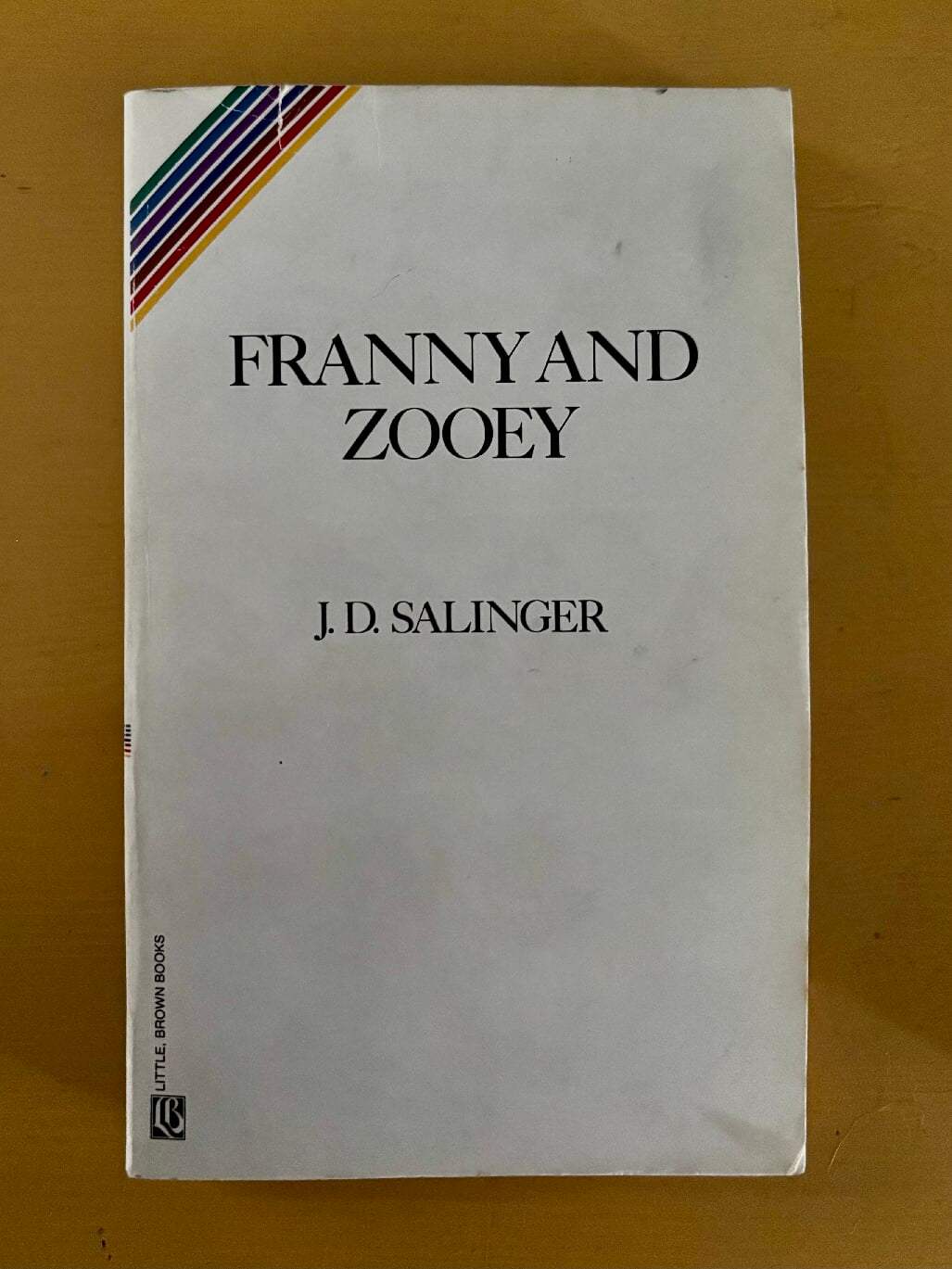
It’s easy to neglect that the New Yorker often publishes works that approach the size of an 80 page paperback in a single magazine issue: JD Salinger’s Franny & Zooey, John McPhee’s Oranges and Coming into the Country, Hannah Arendt’s Eichmann in Jerusalem: All published in their entirety, sometimes serialized, before they were books.1 While they’re less frequent and shorter, we’re lucky the New Yorker still has the audacity to do this knowing full well they’re sending you another issue in two weeks.
In Franny, I wanted so desperately for her beau Lane to shut the hell up for just one fleeting moment and pay attention to her. She traveled by train to visit; she’s clearly in love with him, yet he treats her like an accessory. I vainly wanted so much for her to find a way to escape his insufferable self-importance without harm.
Then along comes Zachary “Zooey” Glass. Before we get to whether he might show his sister some humanity, we first have to suffer some interminable and cruel dialog with his mother, Bessie.
“Oh I’d like to put a diaper on that mouth of yours,” says Bessie Glass at one point. You and me both, Bess. After a battery of verbal assaults on his mother, he relents and talks to (at) his sister.
Maybe it’s how men like Zooey and Lane were in the 50s. I suspect it’s probably how their set still treat each other: Cruel, self-important, disinterested, and transactional in the extreme. Maybe with less smoking?
Even though I spent much of this book begging Zooey, and Lane before him, to cease and desist, I really liked Franny and Zooey. It reads almost like a play: Dialog punctuated around specific settings, observed keenly, and surrounded with subtext. There’s also a lot I see in myself, and others, from when I was 15 years younger.
Steve also recommended Janet Malcolm’s recent critical reëvaluation of Salinger in the New York Review of Books. She notes a parallel between Salinger’s Glass family and Kafka’s Metamorphosis that I hadn’t noticed while reading but now see quite clearly. Both stories are “fables of otherness:” individuals who see themselves outside of community. Franny and Zooey, unlike the poor bug, can in fact do something about it if only they had the will.
Franny, I think, does. She doesn’t buy Zooey’s hasty generalization that their older brothers made them this way and there’s nothing to be done. She is deeply depressed by her intellectual alienation and considers following Paul’s commandment to “pray without ceasing,” by reciting the Jesus Prayer that it might break loose something in her psyche blocking her ability to relate to others without judgement.
She sees right through him and wishes he would just shut up already and that her mother would stop trying to fix her. She might just find her way out if left to her own devices.
The Employees, Olga Ravn (translated by Martin Aitken)
A lot of people opine these days about the future of work. Most of what I see is looking a couple decades into the future at most. Olga Ravn’s The Employees looks further ahead to a world where humans upload their consciousness to remote “humanoids” to work aboard The Six Thousand Ship orbiting a far away planet.
What they’re doing, nobody is really sure, and they know they’ll have no memory of it after they’re decommissioned and re-uploaded elsewhere in the nameless corporate dystopia. In a Blade Runner-esque move, it’s unclear whether the Six Thousand Ship has both human and humanoid crew, or if it’s all humanoids, some of whom only believe themselves to be human.
That central tension emerges through a series of statements recorded from the crew members about the objects collected from the planet they orbit, and how they affect their work.
I’m about fifty pages from the end of Kurt Vonnegut’s 1963 novel, Cat’s Cradle. I’ve read a lot of Vonnegut’s short stories including Armageddon in Retrospect, which I absolutely loved. And so, there I stood in the Cudahy Family Library, waiting for László to find an Easter egg taped to the wall, when Cat’s Cradle caught my eye and I realized that I had never read any of his novels. This book was lauded at the time for its precise observations and satire of modernism of the early 60s. Though it seems we still have powerful people content to play around with nuclear weapons in the year 2026, I can’t help but reading it with an eye toward Artificial Intelligence and the people we’re meant to see as geniuses who are just playing around with that tech.
Stipulated, there are people in the world right now using AI for good and productive ends. It doesn’t take much to find plenty behaving like Dr. Felix Hoenikker inventing ice-nine. It’s also not hard to find people who want to solve genuinely novel and useful problems and end up with something we think is genius in two weeks, and then leave it strewn about the internet without thinking very hard about who it’s for or whether these problems in fact need to be solved. I don’t think we have ice-nine in any proverbial sheet pans now, but we really ought to think about it.
Our titans of industry are so admired for their apparent genius that we anoint them to run our government, where they rule through arbitrary decisions, vanity, and cherry-picked public policy outcomes. Some of them really want that ice-nine, by any means necessary.
As an aside, the use of the word “midget,” and associated stereotypes, struck me as pejorative in a way it likely didn’t for readers in the 1960s (or, heck, even the 90s). I’d like to think Vonnegut was a decent enough human that if he wrote it today, he would find different words to portray these characters without it, maybe at the encouragement of an editor. He was certainly a good enough writer to accomplish that.
Oranges (John McPhee)
I recently finished Oranges by John McPhee and I am still thinking about citrus all the time. Did you know you can grow a citrus tree that sets orange, lemon, and grapefruit all at once? Did you know that in the early days of making orange juice concentrate it was actually hard to find a glass of squeezed orange juice for sale in the state of Florida? Did you know some oranges grow better on lemon root stock but the lemons that grow from it aren’t very good or useful? How about that Valencia oranges were invented by an American in California. Or this: The concentration process extracts all the water out of the fruit leaving only the citrus sugars and manufacturers had to find a way to make it not taste like slightly burned sugar water: It’s called cutback, and involves adding fresh juice back to the concentrate.
Why and how to manufacture concentrate when fresh oranges are easily available seems to be the question driving McPhee. He doesn’t just look at the obvious answer to the question: There was a war going on and we needed an efficient way to deliver vitamin C. The war had ended 20 years ago, why are we still doing it? At times it almost reads like ethnography. McPhee is watching people do things with/to/about/around/among oranges, but in a way that also reveals a lot about who John McPhee is and why he cares about this (and thinks you should too). It shows in the writing and the tell is that he spilled enough orange ink for the New Yorker that he wrote himself into a book.
Now I’m eating oranges almost every day, and not just mandarins (another orange fact you learn in this book: tangerines, cuties, etc. are all “mandarins”).
Weather (Jenny Offil)
Something I’ve enjoyed about writing these posts about books as I read them rather than all together at the end of the year is: They’re fresher in my mind and I can give them the attention they deserve.
I read Jenny Offil’s Department of Speculation a couple years ago. Weather is her most recent novel, published in 2020. It has the same almost staccato rhythm to it that Speculation had. Scenes are short, sometimes one paragraph of maybe 20 words captures a whole interaction with a child or spouse that feels so authentic I forget it didn’t really happen to me specifically. I don’t know how she captures the often surreal experience of parenting a young child so well, but she does in a way that also reveals the joy and hilarity children can evoke in your life.
I recently texted my friend Andre to joke that we should start a social network for parents to post only about the funny things kids do and say that only other parents understand. Like: Did you really go to the bathroom if you didn’t announce it loud enough for the entire neighborhood to hear? This book has some of those observations written maybe in a way that non-parents might also find them funny. It also has good dad jokes sprinkled in to settle out some of the more serious bits as the main character, Lizzie, slowly unwinds over the impending doom of climate change and begins prepping. I worry about what happens when Lizzie encounters Covid-19, and look forward to what Jenny has in store for us next.
Taking a break from the book fodder for a bit to talk about computers, my other love. This is kind of a long one and maybe a little nerdy. Maybe skip it if you’re not big into computers.
For the last few years I’ve been practicing open source cartography as a little side business over at fernwoodmaps.com. It’s been fun but I’ve been trying to do it with what I had, rather than the appropriate ones for the job. That tool was primarily a Raspberry Pi 5, which powered the bulk of the GIS operation, and much of the vector editing. To be clear, I’m impressed the Pi5 worked for this at all. It’s very much not what it’s for, but it got the job done.
My early experience trying to use a Pi 4 as a desktop was awful. A lot has changed with Raspberry Pi since then, and the Pi 5 hardware ended up being a perfectly capable machine to demonstrate to myself that GIS was something I was interested in. Also that I might be good enough at it to justify spending money on more suitable hardware. That more suitable hardware is a refurbished 2022 Lenovo ThinkPad T14 with 16 GB of RAM. I can expand to 48 with another stick of RAM if in a couple of years I’ve outgrown the ThinkPad but am not yet ready to shell out for premium hardware. (Support this habit! Buy a map!)
A real computer is the right one for your task, and your budget
Apple’s MacBook Neo laptop provoked some decent discourse about what a “real” computer is. Some with a vested interest in getting people to buy more expensive PCs, said it is really only for “content consumption” — not “mainstream notebook usage scenarios.” A fancy way of saying this is a toy. To these bozos, I point to my iBook G4 which in 2004, was among Apple’s lowest-end Macs.
Gotta love that date stamp I thought was really important when I was 18.
Back then $1200 (>$2000 today) got you 512 MB of RAM, 40 GB of storage, and a 1.33 GHz G4.1 Did those low specs stop me from running Final Cut Pro, ProTools, and editing hours of audio and video with it? No! Did it slow me down? Of course! Did I maybe abuse that computer doing all that? Probably! But I was in college and couldn’t afford a $2500 PowerMac G5, or PowerBook G4.2 I certainly didn’t know if anything I did with it was enough of an interest to justify that price point. (Did I also love using the G5s in the lab, absolutely.)
My philosophy has always been to buy the best computer I could afford for what I needed to do. To that end, if you need a basic Linux workstation to test out how comfortable you’ll be with it or learn a new hobby, a Raspberry Pi 500+ kit is pretty capable for regular desktop things. If you already have the keyboard, a Raspberry Pi 5 with active cooling is a good option, too. If you have an additional $300 – 400, go for something MacBook Neo range. According to a CPU comparison, the Gen 14 i5 is about the same performance as the MacBook Neo. I paid about $400 for the ThinkPad with twice as much RAM. If MacBook Neo is your price range but you want Linux, you have good options.
These are the three factors that signaled I’d outgrown it as a daily workstation:
Memory and performance
QGIS support
Portability
Performance
First, if the only monitor you’ve attempted to use your Raspberry Pi on is a “retina” or HiDPI display, try using a regular one! I’m confident it’ll immediately feel like a different computer. There’s simply not enough memory available to power that many pixels on the Pi (maybe on the 16GB model there is?). Next, go get an NVMe and convert your Pi to boot from it. You’ll be pleased! Anyway, performance was the biggest factor that led to the upgrade to a proper laptop.
Last winter, I decided to take on the most ambitious map project I’ve done so far. It’s a detailed map of the Great Lakes and St. Lawrence River watersheds. I think it turned out pretty well but it involves styling five separate rasters (one for each lake), plus an XYZ tile basemap, and millions of vectors for all the lakes, streams, watershed boundaries, urban areas, etc.
It brought the Pi to its knees. To load the entire map, I’d disable rendering, then uncheck all layers, rëenable rendering, then one-by-one, turn different layers back on. Detailed edits eventually led to long waits or all out crashes—lost work. I ended up moving the whole project to my work Mac to finish it.
Looks good, right? Go buy it!
I don’t love using my work machine for personal projects. I’ll log into my personal email and small stuff like that to reference things while I’m at work, but I don’t like going the other way round. With that said, using an M3 MacBookPro immediately revealed the benefits I’d get with upgrading from the Pi: Twice as much memory, high power CPU with more cores, and dedicated graphics memory. It was like using the G5s in the media lab in college over my iBook.
I learned a lot about how computers work in all of this, in particular how memory is shared and resourced across a system. Take the desktop environment, for example. Raspberry Pi OS ships with a lightweight Wayland desktop environment. It’s designed for low power machines like the Pi and consequently lacks many common features that mattered to me (screen locking, display management, etc.). I installed GNOME for a more full-featured desktop environment but it came at the expense of memory available to the system. That 8GB of memory is all the Pi has for everything. This laptop has a GPU with dedicated memory separate from the system memory.
Fast forward 22 years and this is the current setup. Yes, I still have the default background for Ubuntu 24.
Again, all expected and intentional from a low power device like the Pi. It only uses 15W! I was legitimately impressed it managed as well as it did. For my Door County map, I used Affinity on my Mac for pre-production layout but the GIS work was entirely on the Pi. It’s a simpler map: One raster, a few vector layers, but still a big file to export and work with. I bet I’d spend a little less time waiting on rendering if I did it on the T14.
QGIS Support
The only way to install QGIS on a Raspberry Pi is with Flatpak, which is pretty neat. It bridges architecture support by compiling every application’s manifest in the Flathub build farm. It means QGIS doesn’t have to support ARM, they just have to tell Flatpak how to build it. I mostly understand it.
The problem was I’d forget this every time there was a QGIS update. If it weren’t the only Flatpak app I ran, maybe I’d have remembered it sooner, but it was frustrating to think through and rule out all the different possibilities every few months. Plus, I never figured out how to run the long-term release, which, as I’m still learning, I prefer over the most cutting edge.
The project has an official PPA for QGIS on Ubuntu (and Debian) but only for x86-64 processors. It’s much easier to install and keep updated on the long term release, and feels more predictable right now. It’s possible that running multiple package managers is just part of the Desktop Linux experience, but for now I’ll cross that bridge when I come to it.
Portability
The Pi is tiny. The footprint of a credit card, height of a business card, even with an NVME base and case. It’s still a desktop, though, so you can only use it where you have the keyboard, monitor, and mouse all set up. I’d get stuck in my office when I didn’t really need or want to be. I couldn’t bring my GIS projects on the road. I couldn’t go to my co-working space if I needed to without fully shutting down—and I better not forget the mini-HDMI cable. This laptop is, well, a laptop. It has better HiDPI support for when I’m at home, and a decent trackpad and display for when I’m not.
If Raspberry Pi ever made a laptop, that’d be neat: A good device for many novice to advanced beginner users. If they could come in below the MacBook Neo, it could be a good option for K12 schools to issue to students and classrooms instead of Chromebooks.
Why not a refurbed Macbook?
I like Macs; I’ve been an Apple user my entire adult life. Their hardware is world class, but it’s difficult to find a capable M series MacBook with 16GB or more RAM and a 1TB disk on sale for less than $600, and I wasn’t ready to spend that kind of cash. I did not have a great experience with QGIS on an M1 MacBook Air the last time I tried. I could spend about $200 less on an upgrade-able machine if I went PC.
Plus, I’m trying to do this open source thing as much as possible. The Fernwood Maps website is WordPress and WooCommerce. QGIS is open source. I try to use public domain or open source data sets where possible. I have an Affinity license and a Windows VM but I try to do as much finishing work in Inkscape as I can. I like knowing that I could switch back to Mac some day, but for now I want to try my hand with the FOSS cartography stack all the way down to the OS on my workstation. I also think it’d be good to foster PC skills in case I ever want or need to use ArcGIS some day.
So far so good
It’s kind of funny to be using a ThinkPad for the first time in more than two decades. It has a TrackPoint, my dad’s preferred laptop pointer. It’s made by Lenovo, not IBM, but otherwise looks and feels at home with, if considerably less chonky than, the 2002 ThinkPad T30 in my laptop museum (read: A shelf in my office).
Setup was pretty easy, and the refurbishers did a good job. The first thing I did was swap the 256GB SSD built-in with the 1 TB drive I’d been using on the Pi. Then I installed Ubuntu off an SD Card reader, which was slick. A couple “Linuxy things” came up in the first couple of weeks, but nothing I couldn’t solve with a mix of Claude and the regular internet’s help. One example: The TouchPad would give out on suspend and it turns out it’s because I (intentionally) hadn’t installed the firmware updates.3 Other than that: Smooth sailing.
I’ve loaded and edited the Great Lakes map project already. It’s still a huge project but my mission to spend less time waiting on and crashing QGIS was a success. Maybe I’ll upgrade the RAM if I ever make any money on this. Now I just have to figure out what’s next.
Today, the pi is in home server mode. I already put it to work doing other things. It’s a media server, mostly, and on the tailnet so I can access it from anywhere.
The 12″ version started at $999, the default price point for Apple until the Neo. ↩︎
Bring back the late 2004 Powerbook G4’s heavenly keyboard, you cowards. ↩︎
Supposedly some users had their second RAM slot give out on them with the latest T14 firmware. Hopefully I’m not one of them but only time will tell. ↩︎
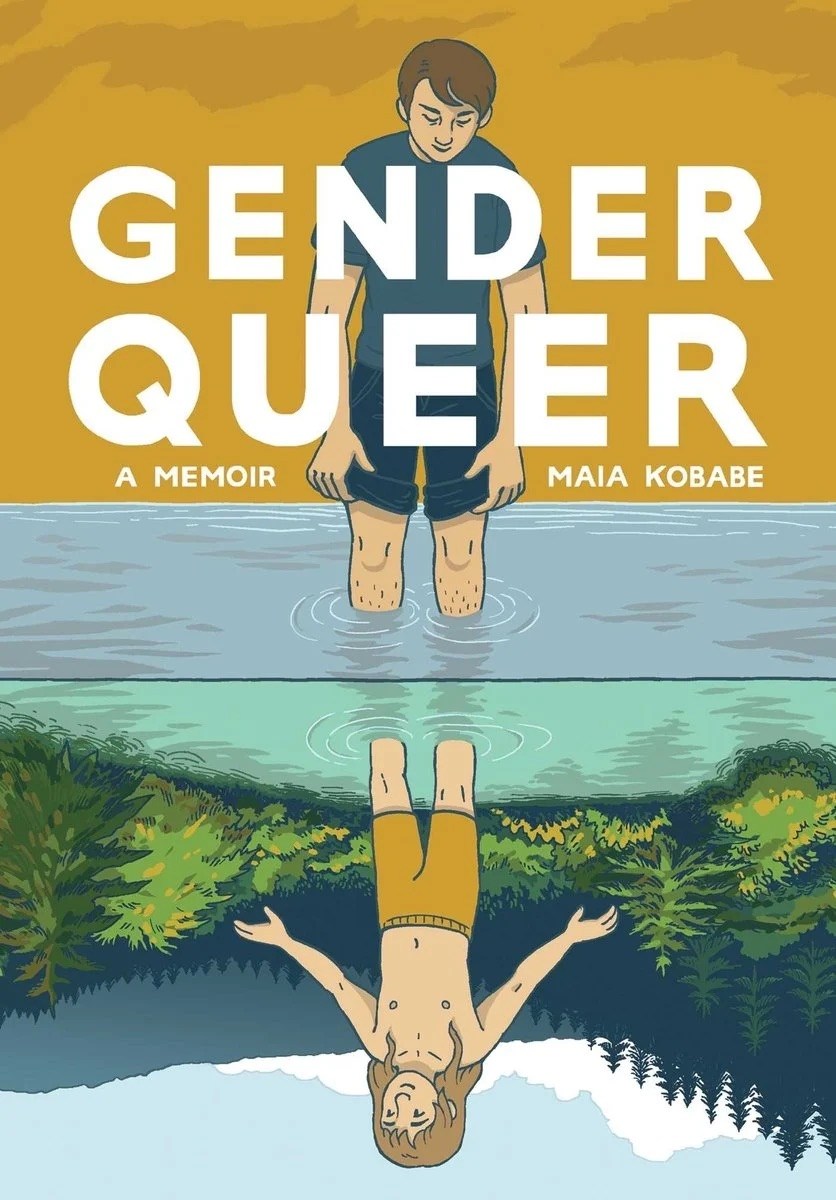
Maia Kobabe captures a lot of the human experience in this tidy graphic memoir. E is a kid trying to figure eirself out ostensibly on eir own. Kobabe captures the loneliness of being a queer kid in the late 90s and early 2000s in the real way e lived it. This book hit really close to my heart. I struggled hard with identity across my early to mid 20s. Some of my closest friends are trans or gender-nonconforming, many of them only came out in their 20s and 30s despite feeling it deeply for much of their lives. I identify myself as queer today even though my life probably looks very hetero-normal (?) from the outside.
I found myself thinking about how much we still don’t know about how to appropriately support queer youth. So many of the public debates are focused on sports, surgery, and sex assigned at birth, and that’s a shame. The deeper need is to learn how to set aside what we think is normal and listen to the youth telling us what they’re feeling. It’s then having the courage to tell them that everything they’re feeling and experiencing is OK, it makes them who they are, and we’re here to help them make sense of it, even if we ourselves don’t (or can’t) completely right now (or maybe ever). You can’t do that by banning books like this one.
Gender affirming care is so much more human than the public discourse would have you believe. This book is an exploration of that humanity. It welcomes the reader on a journey to understand what that means from one person’s experience. It’s a brave and powerful story, and another example of how compelling a form the graphic memoir can be.
Go read it, then give it to someone you love so they can read it too.